This post is aim to explain you how to install MovieNight (MN), into a Docker container, into you TrueNas Scale instance.
First of all, I’ll assume that you have an TrueNas Scale instance working, you have configured the app deployment of your NAS, and you also have setup the Docker Hub link with your NAS.
To deploy MN, open the menu Applications > Discover > ix-app > Install Custom App of your NAS.
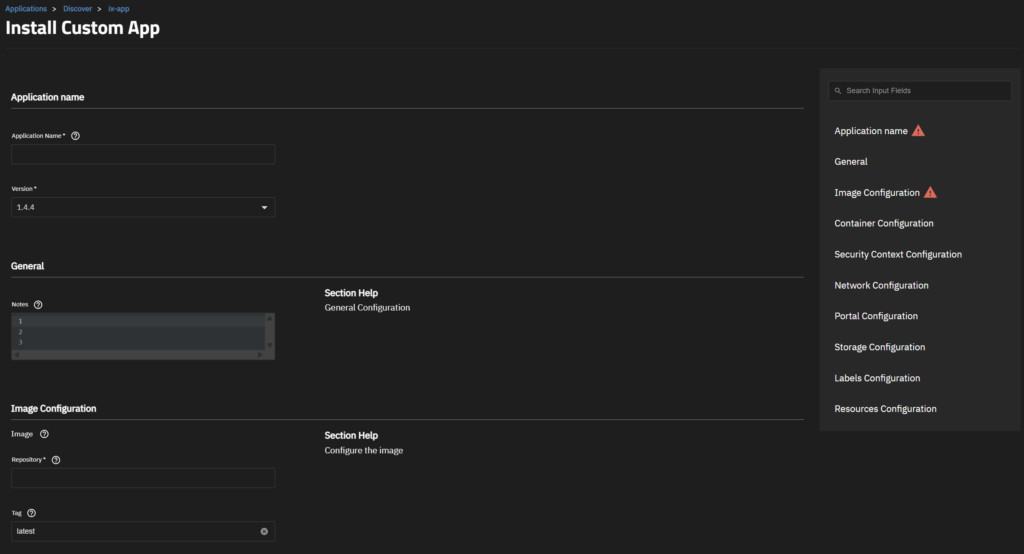
Now you can fill the fields:
- AppName: [Up to you, “movienight” seems to be a good idea]
- Version: [Don’t change anything]
- Image: ruepp/movienight
- Tag: latest
- Network Configuration: [You’ll have to add three setup]
- Configuration for the front-end access: Publish port on the host for external access: Host(your choice), Container(8089), Protocol(TCP)
- Configuration for the video Stream configuration: Publish port on the host for external access: Host(your choice), Container(1935), Protocol(TCP)
- Portal Configuration
- Web UI, Protocol(HTTP), Port(The one you choosed for Configuration for the front-end access), Path(/)
- Storage Configuration
- Host Path (Path that already exists on the system), Mount path(/data), Host path([Up to you])
After configuration the App, you must prepare the MN configuration. Open the directory mapped to /data and create a file ./config/settings.json
Now edit settings.json and following the MovieNight Settings Example and the project documentation you’ll end-up writing something like:
{
	"AdminPassword": "SOME_RANDOM_VALUE",
	"Bans": [],
	"LetThemLurk": false,
	"ListenAddress": ":8089",
	"LogFile": "/var/log/movienight.log",
	"LogLevel": "debug",
	"MaxMessageCount": 300,
	"NewPin": false,
	"NewStreamKey": false,
	"PageTitle": "Movie Night",
	"RegenAdminPass": true,
	"RoomAccess": "open",
	"AccessLink": "",
	"RoomAccessPin": "",
	"RtmpListenAddress": ":1935",
	"SessionKey": "",
	"StreamKey": "A_LONG_STREAM_KEY",
	"StreamStats": false,
	"TitleLength": 50,
	"WrappedEmotesOnly": false,
	"UABotPatterns": null,
	"RateLimitChat": 1,
	"RateLimitNick": 300,
	"RateLimitColor": 60,
	"RateLimitAuth": 5,
	"RateLimitDuplicate": 30,
	"NoCache": false
}
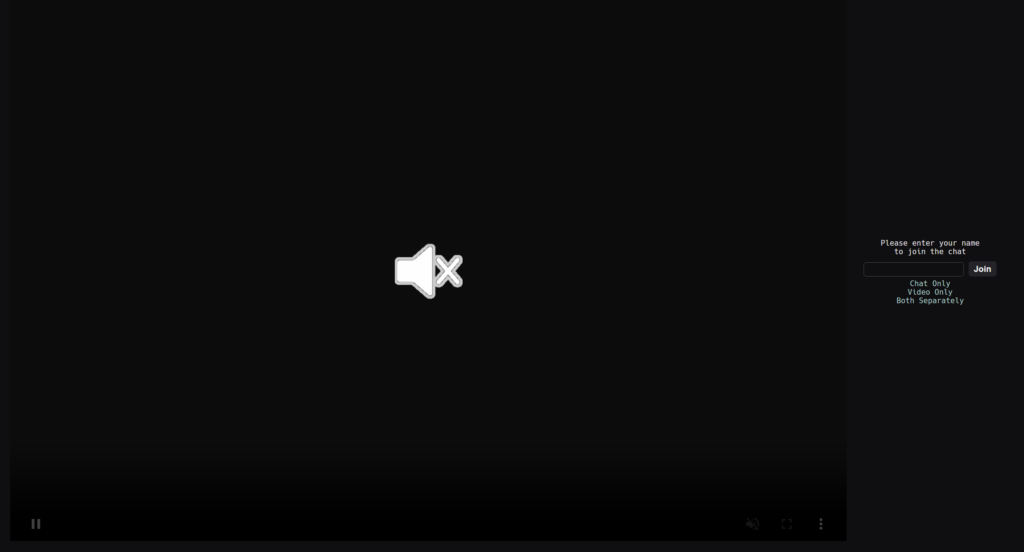
Now you can try running your app and try to open the URL http(s)://[YOUR_SERVER_IP]:[MN_PIBLIC_PORT], you should end up on that kind of screen:
If you have any issue, please comment, I’ll update the post.
Leave a Reply